How to Use Tap Switch for Efficient Home Automation?
In the ever-evolving world of home automation, the "Tap Switch" stands out as a pivotal component. According to a recent report by Statista, over 30% of households in the US are now equipped with smart home devices, highlighting the growing reliance on technology for everyday convenience. The Tap Switch allows for seamless integration of various smart devices, providing users with greater control and flexibility.
Efficiency in home automation is paramount. A study from MarketsandMarkets indicates that the global smart home market is expected to reach $135.3 billion by 2025, driven by innovations like the Tap Switch. This device offers a simple, user-friendly interface for managing lighting, heating, and security systems. However, the success of these systems depends on proper installation and user familiarity, which can sometimes lead to frustration.
As we explore the capabilities of the Tap Switch, it's essential to consider both its advantages and limitations. While it enhances connectivity, not every user may grasp its full potential. Misconfigurations can occur, impacting the overall efficiency of home systems. Understanding these nuances will lead to a more satisfying smart home experience, ultimately driving consumer adoption forward.
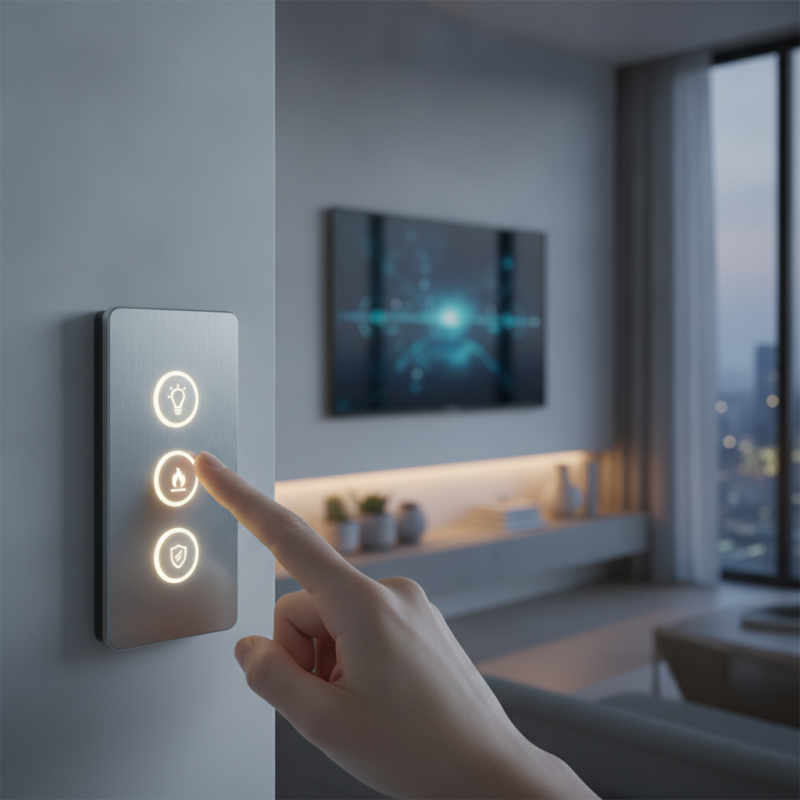
Understanding Tap Switch: Basics and Functions
Understanding Tap Switch: Basics and Functions
Tap switches are essential for home automation. They enable controls for lighting, appliances, and more. The convenience they offer simplifies daily tasks. With a tap switch, users can set schedules and create scenes. For example, you can dim the lights with one tap when watching a movie. This saves energy and enhances comfort.
The functioning of tap switches is straightforward. Most models connect seamlessly to Wi-Fi or a smart hub. Users can control them through mobile apps or voice commands. This technology makes it possible to turn off lights from anywhere. However, compatibility with existing devices can pose challenges. Some tap switches may not work well with older systems. Ensuring that your current setup can accommodate these switches is essential.
When using tap switches, consider security measures. Regular updates to firmware are necessary to protect your home network. Additionally, changing default passwords enhances safety. Users need to take time to learn all features. Many never fully utilize their tap switches. Exploring their capabilities can lead to even greater efficiency. Embracing this technology requires a willingness to adapt and experiment.
Benefits of Using Tap Switch in Home Automation
Tap switches offer numerous benefits for home automation. They provide an easy way to control various devices with just a touch. Homeowners can customize their smart environments without complex setups. This simplicity is attractive to many users.
One major advantage is energy efficiency. Tap switches enable better energy management. You can schedule lights and devices to turn off when not in use. This helps reduce electricity bills. Additionally, families can create different lighting scenes for various activities. Whether it’s a movie night or reading time, tap switches make transitions seamless.
Reliability is another key point. Tap switches often use direct connections, minimizing connectivity issues. Unlike some systems that depend on Wi-Fi, these switches usually function with great consistency. However, users should consider potential limitations, such as compatibility with existing systems. A review of your setup may be necessary for optimal performance. Overall, integrating tap switches into home automation can enhance convenience while promoting efficiency.
Step-by-Step Guide to Installing Tap Switch
Installing a tap switch can significantly enhance your home automation experience. It allows you to control various devices easily. Here’s a simple step-by-step guide to get you started.
Gather your tools: a tap switch, a screwdriver, and electrical tape. First, turn off the power to the circuit where you'll install the tap switch. This is crucial for safety. Remove the existing switch. Ensure the wiring is in good condition. Connect the tap switch according to the included wiring diagram. Usually, you will have to connect the live wire, neutral wire, and ground wire. Once connected, secure everything back in the switch box.
Check the installation by turning the power back on. It's essential to test all functions of the tap switch. If something doesn’t work, reassess your connections. According to industry reports, improper installation can lead to 15% of home automation failures.
Tips: Always follow safety protocols. Wear gloves and goggles while handling electrical components. Review every step of your installation process. This will help prevent mistakes and ensure a smooth operation. Remember, even small errors can cause significant issues down the line. Stay informed about local electrical codes for compliance.
Integrating Tap Switch with Smart Home Systems
Integrating a Tap Switch into your smart home system can enhance functionality and convenience. This device simplifies control over various appliances. It connects seamlessly with lights, fans, and other smart gadgets. When you design your home automation, the Tap Switch plays a vital role. It allows easy grouping of devices, enabling multiple controls at once.
The installation process is often straightforward, yet it can present challenges. Ensure that you understand the electrical setup of your home. Wiring errors can lead to issues with performance. Having clear documentation during installation is crucial. Verify compatibility with existing smart home systems, as not all devices work well together.
Utilizing a Tap Switch also requires regular updates. Some users may forget to check for firmware improvements. Over time, new features can enhance performance. Regularly reviewing your system's integration can bring satisfaction and better usability. Adapt your setup based on your changing needs and preferences, fostering a more responsive home environment.
Troubleshooting Common Issues with Tap Switch Devices
When using tap switches for home automation, some common issues may arise. One frequent problem is connectivity. If the device does not connect to your Wi-Fi, check the distance from the router. Walls and interference from other devices can disrupt the signal. Sometimes, a simple reboot of the router can help restore connection.
Another issue can be improper configuration. Users might overlook an essential setting, causing the device to malfunction. If a tap switch doesn’t respond, revisit the setup process. Ensure all steps were followed accurately. Additionally, firmware updates can solve many glitches. Regularly checking for updates keeps devices functioning smoothly.
Lastly, malfunctioning switches can lead to frustration. A tap switch might seem unresponsive due to low battery levels. Regularly monitor the battery status. If issues persist, resetting the device to factory settings can help. However, this means losing all previously set configurations. Always approach troubleshooting with a calm mindset. Adjusting to technology can take time and patience.